How to Download Anstrex Landers: A Step-by-Step Guide
Anstrex can help advertisers study landing pages used in native advertising campaigns. A downloaded page, however, is a reference for analysis—not a ready-to-launch campaign asset. Its code, links, images, tracking, claims, and usage rights all need to be reviewed before you reuse or adapt anything.
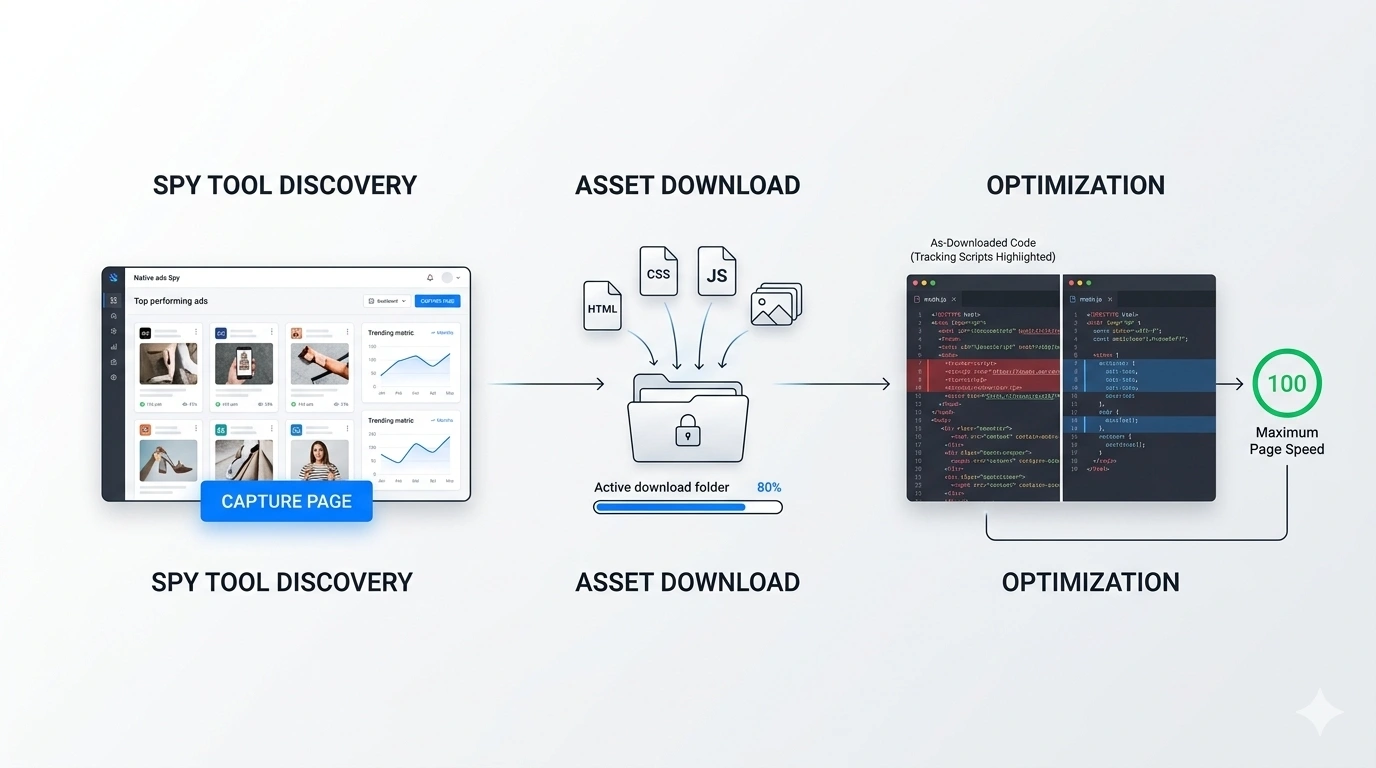
This guide walks through a practical workflow: locate the available download in your Anstrex account, inspect the files, identify dependencies, rebuild the parts you are entitled to use, and test the result before publishing. Interface details and available export options can change, so follow the controls shown in your current account.
Important: Use downloaded material only when you have the necessary rights or permission. Do not copy another advertiser’s protected copy, branding, images, testimonials, or code simply because a tool makes them accessible. Studying a competitor’s structure and creating your own version is a safer, more sustainable approach.
1. Find and download a landing page in Anstrex
Sign in to Anstrex and open the relevant native-ad research area. Browse or filter the campaigns and landing-page previews using the options available in your account. When you find a page worth studying, open its preview and check whether a download or export option is available for that item.
- Choose a useful reference: Look for a page relevant to your product category, audience, and traffic source—not just one that looks polished.
- Open the preview: Review the page’s structure, headline, content sequence, calls to action, and destination links.
- Use the available export control: Follow the current Anstrex interface. Do not assume every page or account exposes the same download option.
- Save the original archive: Keep an untouched copy for reference and work from a separate folder.
- Record what you are studying: Note the layout, offer framing, and user journey. Avoid treating visibility in a spy tool as proof that the campaign is profitable.
2. Understand the downloaded files
The contents depend on how the original page was built and what the export includes. You may encounter an HTML document, stylesheets, JavaScript, images, fonts, or references to files hosted elsewhere.
| File or resource | What it does | What to check |
|---|---|---|
index.html | Page structure and content | Headings, links, forms, metadata, embedded scripts |
| CSS files | Layout, typography, and visual styling | Missing files, external imports, unused rules |
| JavaScript | Interactions, analytics, and other behavior | Purpose, destinations, permissions, and errors |
| Images and fonts | Visual assets and typography | Usage rights, file size, source, and broken references |
| External requests | Resources loaded from other domains | Whether each dependency is necessary and trusted |
Preserve the directory structure while you inspect the archive. If you move files or rename folders, update the corresponding paths in the HTML and CSS. A local preview can reveal missing assets, but it does not reproduce every server-side feature, tracking endpoint, or form submission.
3. Audit the page before running it
Do not blindly publish or execute code from an unfamiliar source. Start with a static review in a code editor. Search for external domains, embedded scripts, form actions, redirect logic, analytics IDs, and links that still point to the original advertiser.
- External scripts: Identify each source and its purpose. Remove only what you understand and do not need; indiscriminate deletion can break legitimate functionality.
- Redirects and pop-ups: Investigate unexpected navigation, forced redirects, browser-history manipulation, and unsolicited windows.
- Tracking: Remove or replace third-party pixels and analytics only after identifying them. Install your own measurement tools transparently and in line with applicable consent requirements.
- Forms and CTAs: Check every destination, form action, telephone link, and checkout path. Make sure nothing sends user data to the previous advertiser.
- Credentials and data collection: Never submit real customer data through an unreviewed form. Test with dummy data in a controlled environment.
Terms such as window.location, window.open, and onbeforeunload are useful search clues, not automatic proof of malicious behavior. Review the surrounding code and intended functionality before changing it. If you cannot establish what a script does, keep the page offline and ask a qualified developer to inspect it.
4. Adapt the page without copying the competitor
Use the reference to understand information hierarchy and the user journey, then create a version appropriate for your own offer and audience. Replace the original advertiser’s identity, claims, destination URLs, tracking IDs, and assets only where you have rights to use the replacement material.
- Write original copy: Make the headline, explanation, benefits, and CTA accurate for your offer.
- Verify claims: Keep evidence for product, health, financial, performance, and comparative claims. Do not reuse testimonials or “as seen in” logos without authorization and substantiation.
- Replace destinations: Check links in navigation, buttons, images, footers, and scripts—not just visible CTA buttons.
- Review disclosures: Clearly identify sponsored or promotional content where appropriate. Add privacy information, contact details, terms, and product-specific disclosures as required for your business, jurisdiction, and advertising network.
- Check intellectual property: Obtain permission or use licensed assets. Changing colors or swapping an affiliate URL does not automatically make a copied page yours.
5. Optimize assets and mobile performance
First make the page function correctly; then measure performance and optimize the biggest bottlenecks. Do not assume every downloaded image is too large or that changing every asset to WebP will always be the best choice.
- Resize images to appropriate display dimensions and use modern formats when they reduce file size without unacceptable quality loss.
- Compress images and remove assets that are genuinely unused.
- Check CSS, font, and JavaScript requests for unnecessary dependencies.
- Test the page on a narrow mobile viewport and on a real device when possible.
- Measure with tools such as PageSpeed Insights, then address the issues the test actually identifies.
Prioritize readable text, stable layout, visible CTAs, working forms, and a clear route to the offer. There is no single load-time number that guarantees approval or conversion; results depend on the page, device, network, and audience.
6. Check the page against your advertising network
Passing a code review does not mean a landing page complies with an advertising network’s rules. Review the current requirements for your specific network, offer category, destination, and target market before submitting a campaign. Policies and review decisions can change.
- Make the ad’s promise consistent with the landing page and final offer.
- Avoid misleading headlines, fabricated endorsements, unsupported claims, and deceptive presentation.
- Make commercial intent clear enough that visitors are not misled about the nature of the content.
- Ensure the destination works, the product is represented accurately, and required disclosures are present.
- Use the network’s official policy and rejection explanation as the authority for a specific decision.
For further troubleshooting, see our guides to fixing a rejected Taboola landing page and Outbrain landing page guidelines. Neither a template nor a developer can guarantee approval.
7. Test before publishing
Use a staging URL or local environment before sending paid traffic. Work through this checklist and record the result of each test.
- All local files load; no broken images, fonts, or stylesheets remain.
- All links and CTAs lead to the intended destination.
- Forms validate correctly and send data only to the intended service.
- Unneeded third-party scripts and old tracking IDs have been removed.
- The page is readable and usable on mobile and desktop.
- Analytics and conversion events fire as intended without duplicate events.
- Claims, disclosures, permissions, and network policies have been reviewed.
- The published URL uses HTTPS and works without unexpected redirects.
Once the page is live, test the full journey with a controlled visit before increasing spend. Keep a backup of the version you tested so that changes can be traced and rolled back if a problem appears.
Need help cleaning up a downloaded lander?
If the archive contains unfamiliar scripts, broken dependencies, or complicated layouts, a developer can audit the files, rebuild the page, optimize its assets, and test its functionality. The scope should be agreed in advance; code cleanup cannot establish usage rights or guarantee advertising approval.
Request landing page cleanup and optimization on Fiverr →
Frequently Asked Questions
Final takeaway
Anstrex can be useful for researching how advertisers structure landing pages, but a download is only a starting point. Inspect dependencies, verify rights, write accurate original copy, check every destination, measure performance, and review the current requirements of your advertising network before launch.
For related guidance, read our native ads landing page blueprint, advertorial copywriting guide, and complete advertorial landing page guide.