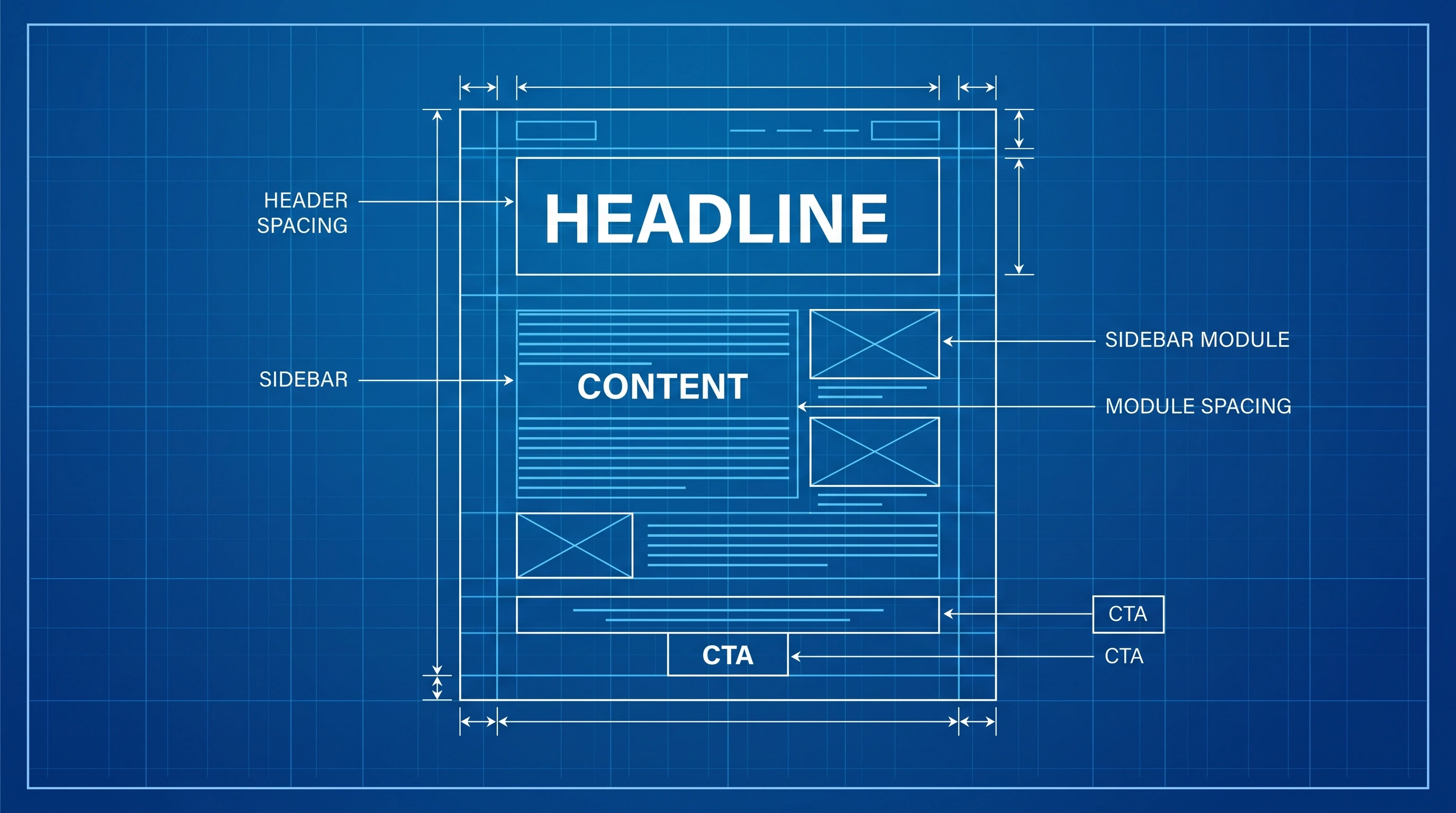
Advertorial Template: Formats, Design & HTML Code
An advertorial template gives you a repeatable structure for sponsored content that explains an offer through useful information. It should help you organize the page—not manufacture credibility, disguise advertising, or make unsupported claims.
The right template depends on what the reader needs to understand before taking the next step. A product comparison, a practical guide, and a founder story answer different questions. Start with the reader's intent, choose a matching advertorial format, then adapt the design and copy to the actual offer.
This guide covers the main advertorial formats, a reusable page framework, practical design decisions, an HTML starting point, and a testing checklist. Use it as a working blueprint rather than a promise of specific conversion or approval results.
Reader question → clear headline → useful answer → relevant evidence → transparent offer → disclosure where needed → specific CTA → measurement.
What Is an Advertorial Template?
An advertorial is promotional content presented in an informative or editorial format. An advertorial template is the reusable structure behind that content: the order of sections, layout, headline area, evidence blocks, offer explanation, disclosures, and call to action.
A template is not a substitute for research or original content. Do not invent product testing, author credentials, testimonials, customer numbers, scientific findings, or personal experiences to fill its sections. If the page is sponsored or contains affiliate links, disclose that relationship clearly and follow the requirements that apply to the campaign.
Choose the Right Advertorial Format
| Advertorial format | Use it when | Include |
|---|---|---|
| Product review | The reader needs to assess one product. | Accurate features, evaluation criteria, limitations, and genuine evidence or clearly identified product information. |
| Comparison | The reader is choosing between products or approaches. | Consistent comparison criteria, meaningful differences, and disclosure of commercial relationships. |
| Guide or listicle | The reader needs steps, options, or selection criteria. | Useful explanations, specific criteria, and a logical progression to the relevant offer. |
| Problem-and-solution story | Context helps explain the problem and a possible approach. | A truthful narrative, clearly supported claims, and a transparent transition to the promotion. |
| Founder or brand story | The company's origin or product-development process is relevant. | Verifiable details, real experiences attributed to the right person, and no invented quotations or milestones. |
| Interactive quiz | Genuine personalization or qualification helps the reader. | Useful questions, understandable results, and clear information about any data collection. |
These are starting points, not universal performance rankings. Choose the format that best answers the visitor's question and gives you enough room to explain the offer accurately.
A Reusable Advertorial Template: Section by Section
1. Headline and content disclosure
State the topic clearly and give the reader a truthful reason to continue. Avoid fake news framing, invented discoveries, fabricated “I tested” claims, or headlines promising results the page cannot demonstrate. Make the sponsored or promotional nature of the page clear where applicable.
2. Introduction that delivers on the click
Address the question or problem introduced by the ad. Explain what the page will cover and who the information is for. Do not hide the actual offer or make visitors read unrelated material before they understand why they landed on the page.
3. Main information and evaluation criteria
Organize the body around the reader's decision: explain the problem, compare options, describe how a product works, or walk through a process. Use headings that describe the content beneath them. Include concrete details when they are verified, and distinguish facts from opinion.
4. Evidence, limitations, and context
Support objective claims with appropriate evidence. For comparisons, use the same criteria across the options. For testimonials or case studies, use genuine material and avoid implying that an exceptional result is typical without support. State relevant limitations instead of hiding them.
5. Offer explanation
Explain what is being promoted, who it may suit, what the reader receives, and any material conditions. Identify the seller or advertiser. If the page includes an affiliate relationship or other material connection, disclose it clearly.
6. A clear call to action
Make the next step specific: “View product details,” “Compare available plans,” or “Request a quote.” The destination must match the CTA, and the reader should not have to guess whether clicking will open a product page, submit information, or begin a purchase.
Advertorial Design: Layout Without Deception
Good advertorial design makes information easy to scan and the offer easy to understand. A clean, readable layout can use editorial conventions, but it should not impersonate a publisher, use a fake masthead, or conceal the commercial identity of the page.
- Header: Identify the publisher or advertiser accurately and show any relevant sponsored-content label.
- Headline: Place it prominently and ensure it describes the page's actual content.
- Images: Use relevant, licensed images with useful alt text; avoid visuals that falsely imply a real test or result.
- Typography: Use readable text, clear heading hierarchy, and adequate spacing.
- Links and CTA: Make interactive elements recognizable and describe their destination honestly.
- Mobile layout: Check text wrapping, image scaling, tap targets, forms, and horizontal overflow on real devices.
- Trust and disclosures: Keep material conditions, sponsorship information, and privacy details accessible.
Advertorial Code: A Simple HTML Starting Point
If you are building an advertorial as a standalone HTML page, start with semantic sections and replace the sample text with accurate, campaign-specific content. This is a structural example, not a complete production page; add your site's styling, analytics, accessibility checks, privacy controls, and required disclosures before launch.
<main class="advertorial">
  <p class="disclosure">Sponsored content</p>

  <article>
    <header>
      <h1>A clear, accurate headline</h1>
      <p>What this guide helps the reader understand.</p>
    </header>

    <section>
      <h2>The question or problem</h2>
      <p>Answer the reader's main question with useful information.</p>
    </section>

    <section>
      <h2>Options and supporting evidence</h2>
      <p>Explain the evidence, limitations, and relevant alternatives.</p>
    </section>

    <section>
      <h2>About the offer</h2>
      <p>Identify the offer and explain material terms clearly.</p>
      <a href="/offer/">View offer details</a>
    </section>
  </article>
</main>
Keep CSS and JavaScript proportionate to the page's needs. HTML alone does not guarantee a fast page, strong Core Web Vitals, accessibility, or ad approval. Test the deployed page with real performance diagnostics and confirm that forms, links, and tracking work correctly.
HTML/CSS vs. Page Builders
Neither a standalone HTML page nor a page builder is automatically the better choice for every campaign. A custom HTML/CSS build can give developers direct control over markup and resources; a page builder can make editing easier for teams that do not code. Actual performance depends on implementation, images, scripts, hosting, caching, and third-party tools.
Choose the approach your team can maintain and test. Measure the live page rather than assuming that a particular technology will load in a fixed time or produce a specific conversion rate.
How to Choose and Customize an Advertorial Template
- Define the goal: Decide whether the page should generate a qualified lead, explain a product, support a purchase, or help visitors compare options.
- Identify the reader's question: Use the ad promise and audience context to determine what the page must answer.
- Choose a matching format: Select a review, comparison, guide, story, or interactive structure based on that question.
- Replace generic sections: Adapt every heading, claim, image, and CTA to the actual offer. Remove sections that add no useful information.
- Verify trust elements: Check claims, sources, author attribution, permissions, disclosures, and material terms.
- Test before launch: Check mobile usability, load performance, links, forms, analytics, and the final destination.
Advertorial Template Testing Checklist
| Check | What to verify |
|---|---|
| Message match | The headline and opening address the promise made by the ad. |
| Content quality | The page answers the reader's question and avoids unsupported claims or filler. |
| Transparency | Sponsored content, affiliate relationships, advertiser identity, and material terms are clear where applicable. |
| Mobile usability | Text is readable, links are tappable, forms work, and no content overflows horizontally. |
| Technical function | Images load, links work, forms submit correctly, and analytics events are accurate. |
| Conversion path | The CTA describes the next step and leads to the expected destination. |
| Measurement | A primary outcome is defined, and results can be segmented by campaign and device where data permits. |
Why Advertorial Templates Fail in Practice
A template can be visually polished and still be a poor fit for the campaign. Common issues include a headline that attracts the wrong audience, generic content that does not answer the reader's question, claims without evidence, hidden commercial intent, an unclear offer, and a broken or confusing conversion path.
When results are weak, diagnose the journey step by step. Confirm that tracking is reliable, visitors reach the page, the opening matches the ad, the offer is understandable, and the CTA works. Then test one meaningful change at a time where practical. Do not assume that changing the template alone will fix every campaign problem.
Start with the offer, audience, evidence, traffic source, and conversion goal. A reusable layout is a starting point; the finished page still needs campaign-specific copy, design, and review.
Frequently Asked Questions
The Bottom Line
The best advertorial template is the one that fits the reader's question and gives the offer a clear, honest explanation. Choose a format deliberately, make the design readable, support important claims, disclose commercial relationships where needed, and verify the complete mobile and conversion experience before launch.
Use templates to save structural work—not to replace judgment, evidence, or campaign-specific testing.
Related Resources: